 Potter Slots Canada
independent reader's notes
Potter Slots Canada
independent reader's notes
Potter Slots mobile casino: Android 10+ and iOS 16+, no app needed
There is no app to install. Potter Slots runs in a mobile browser, which removes a download and adds a set of browser-specific behaviours worth knowing before you are mid-payment with one thumb.
Mobile & app experience

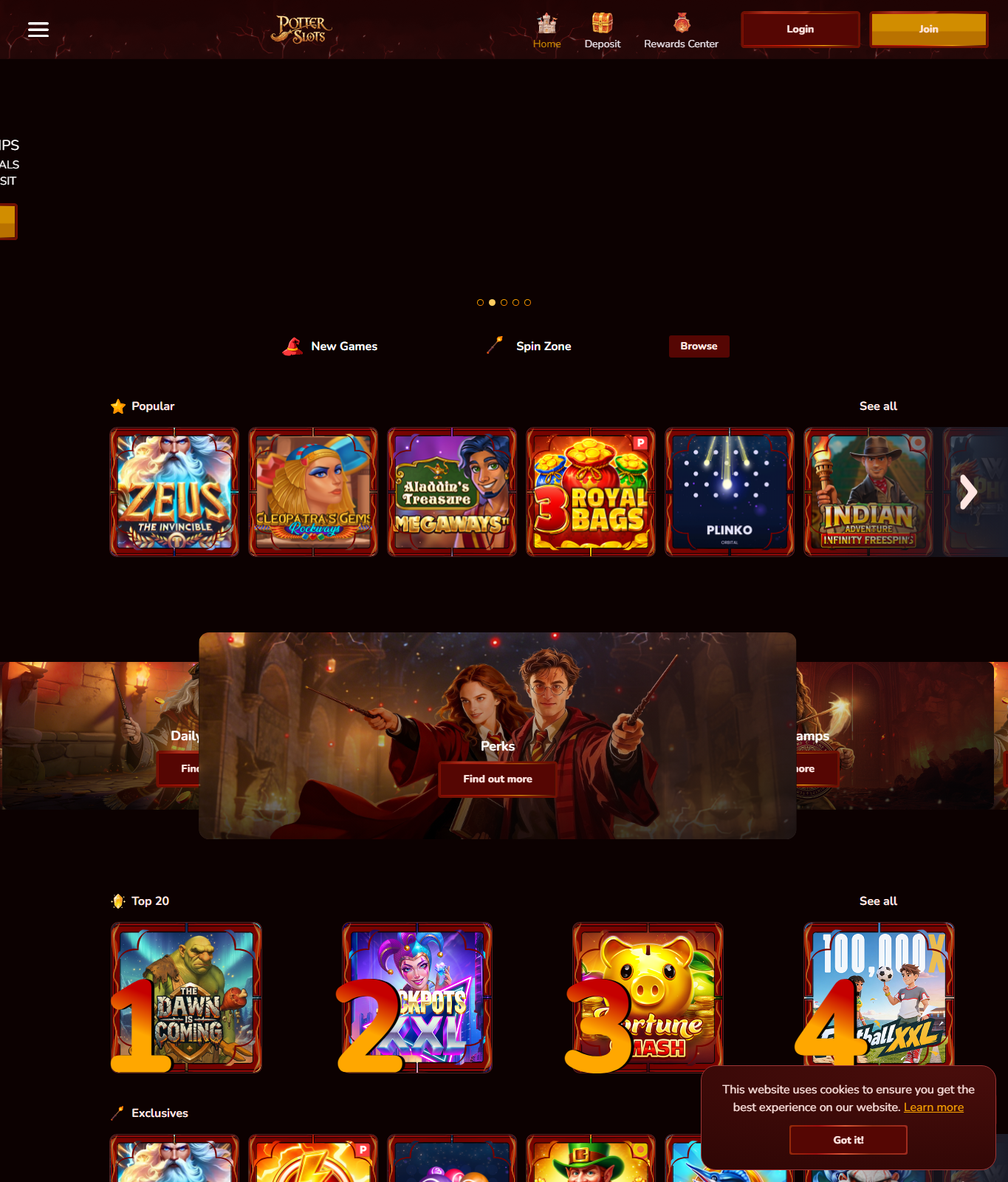
On a narrow screen the desktop rows collapse into one column: the wordmark, a row of newer games, a spin-zone block and the consent prompt along the bottom edge. Underneath, nothing changes. It is one account across devices, so signing in on a phone does not create a second balance or a second welcome offer.
That continuity runs through everything tied to the account. Wagering progress, expiry dates and bonus eligibility carry across devices, so switching to a phone neither resets an offer nor repairs one. Identity verification belongs to the account rather than the device, so documents sent from a phone count exactly as they would from a desktop; bear in mind that operators may ask for checks again later, so keep your documents to hand. Deposit, loss and session limits apply account-wide too: set one on a desktop and it constrains the phone as well, which is the point of having them. The overall experience is a smaller window onto the same casino, not a separate product with its own rules.
Device requirements
The guidance here comes from the operator's own mobile notes, and it carries their own caveat: these are practical recommendations for a comfortable browser session, not official minimum system requirements. Older devices may work perfectly well, and individual games vary more than phones do.
On Android, the recommendation is Android 10 or newer with a current version of Chrome or Firefox, around 3 GB of RAM or more, and a screen at least 360 pixels wide at roughly 720p or better. On iPhone it is iOS 16 or newer with a current Safari on a supported model with enough free memory for several browser tabs; Chrome on iOS runs on the same underlying engine, so the experience is much the same. Portrait orientation suits browsing the lobby, while landscape gives game controls more room where a game offers it. On both platforms the cashier may hand over to a banking or wallet app and back, so keep some memory free for the switch, and use a private Wi-Fi network, LTE or 5G rather than a shared hotspot when payment details are on screen.
App or mobile browser
Our source points to no app in the App Store or Google Play. Potter Slots is played in the mobile browser, and the operator's own wording is explicit that a home-screen icon is a shortcut to the website, not an installed application. On Android the shortcut is added from the browser menu; on iPhone, from Add to Home Screen in Safari's Share menu. It installs no software and grants no permissions. That is fine, but it also means the icon is only as trustworthy as the page that was open when you made it.
So create the shortcut from an address you reached deliberately rather than through an advertisement, and check the domain in the address bar before entering credentials, every time, because a shortcut hides the usual prompting. Do not install an APK file offered by an advertisement, a file-sharing site or an unofficial store: a packaged file of unknown origin can request permissions a browser never gets and can imitate a login screen convincingly. If a page asks you to install a configuration profile or a certificate to continue, stop there, since nothing about a browser casino legitimately requires it. Weighed up, the browser route asks for a little care with addresses and removes a whole category of fake-app risk.
Battery, data and performance
Animated slots run continuous graphics work, so a long session warms a phone and drains it faster than ordinary browsing. Taking a break when the handset gets warm is the simple answer. Memory matters as well: on a handset with limited RAM, a background tab reloading is a common reason a game restarts unexpectedly, and closing other tabs before a session is the cheapest fix. The rows you scroll past are covered in what the lobby rows contain, if you would rather open fewer games and read more.
Data use depends on what you play. Browsing the lobby is light, while video-streamed live tables use far more and cope badly with an unstable signal. The riskiest moment is a network change mid-payment: handing off between Wi-Fi and mobile data while the cashier is working is how duplicate transactions happen. Wait for the cashier to report a final state before touching anything, and see cashier steps in a browser for the rest of that sequence.
Pros and cons
Works well on a phone
- No download, no store account and no update cycle to manage.
- The lobby re-stacks into one readable column instead of shrinking.
- Account, bonus state and limits are identical across devices.
Harder on a phone
- Long terms pages are easy to scroll past on a small screen.
- Cashier hand-offs to banking apps can lose the thread of a payment.
- Promotional prompts fill more of the screen, so accidental opt-ins are easier.
Mobile questions
Is there a Potter Slots app for Android or iPhone?
Nothing in our source material points to an app store listing. Access is through a mobile browser, and a home-screen shortcut is a bookmark rather than an installed application.
Will an older phone run Potter Slots?
Probably, for browsing. Android 10 and iOS 16 are recommendations for comfort, not hard requirements: a current browser and a stable connection matter more than the age of the handset.
Does a bonus behave differently on a phone?
No. Wagering, expiry, maximum bet and eligible games are account conditions. The screen changes; the terms do not.
Is it safe to install a Potter Slots APK?
Our source names no official APK, and the operator's own mobile notes warn against downloading APK files from advertisements, file-sharing sites or unofficial stores. Use the browser version rather than installing a file of unknown origin.